Save anything
you copy.
Screenshots, links, code, ideas — everything you copy is kept safe, organized with tags, and findable in seconds. Like bookmarks, but for everything.
Most things you copy
disappear.
ClipMark keeps them. Every screenshot, link, snippet, and file is saved automatically — organized, searchable, and ready to use.
Screenshots & images
Every screenshot you take is saved automatically. Drag it into any app whenever you need it.
Research
Collect links, code snippets, and quotes while browsing. Find them when you need them.
Visual inspiration
Copy images from any app. They stay in your library, tagged and searchable.
Reusable snippets
Emails, signatures, templates — copy once, paste forever. Assign hotkeys for instant access.
See what it feels like.
No setup, no learning curve. Just copy things — and they're there.
Drop it. Tagged. Done.
Drag anything into ClipMark and it gets tagged automatically. No folders, no manual sorting. Just drop and move on.
- Tag applied automatically on drop
- Works from any app
- Instant visual feedback
- Zero extra steps
Simple on the surface.
Powerful underneath.
Everything you need to save, organize, and reuse what you copy — without getting in your way.
Tags & Smart Filters
Organize by project, client, or topic. Filter with #tag or type:png to find anything in seconds.
Click to preview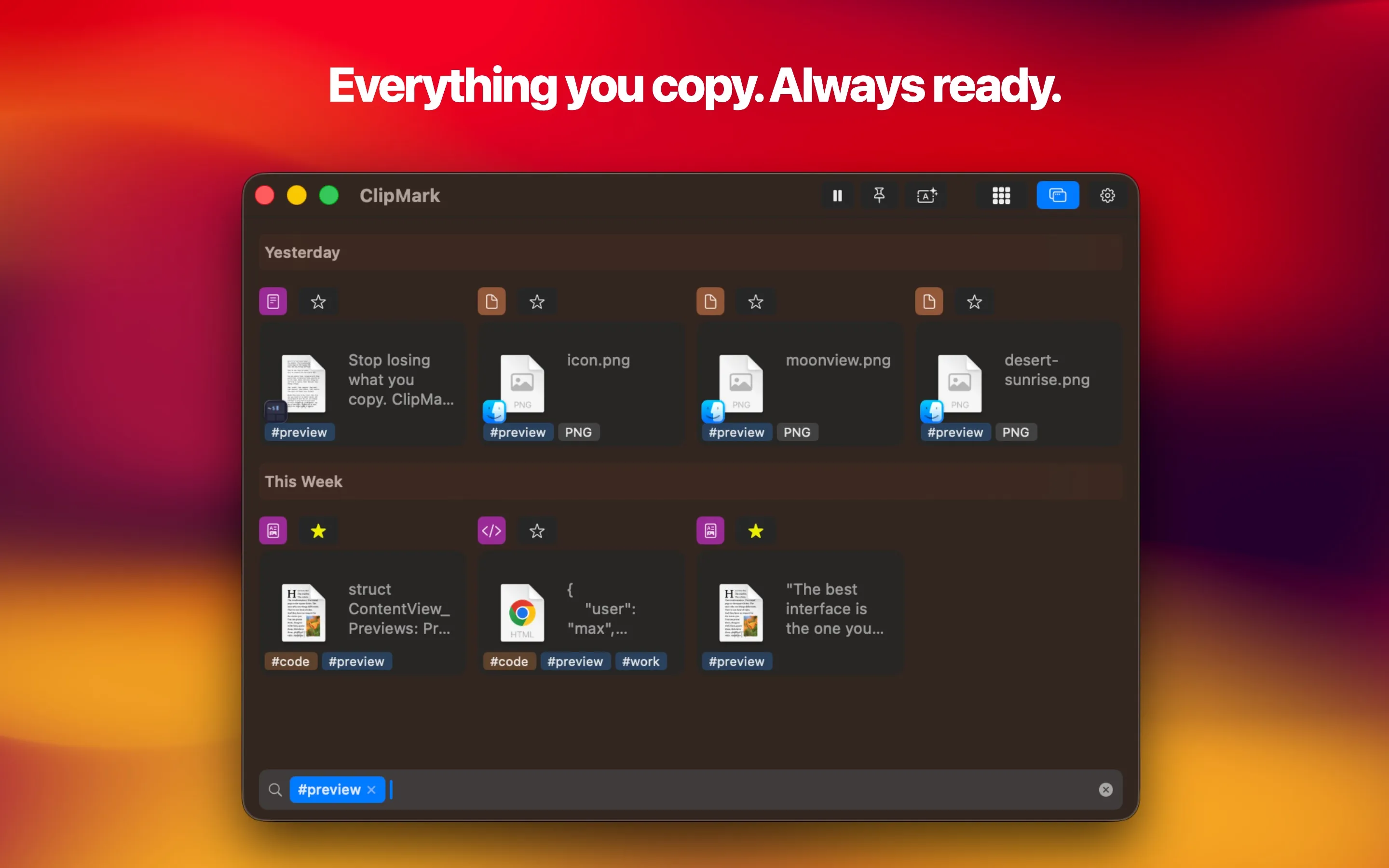
Favorites & Hotkeys
Pin important clips forever. Assign global hotkeys to paste them from anywhere — without opening ClipMark.
Click to preview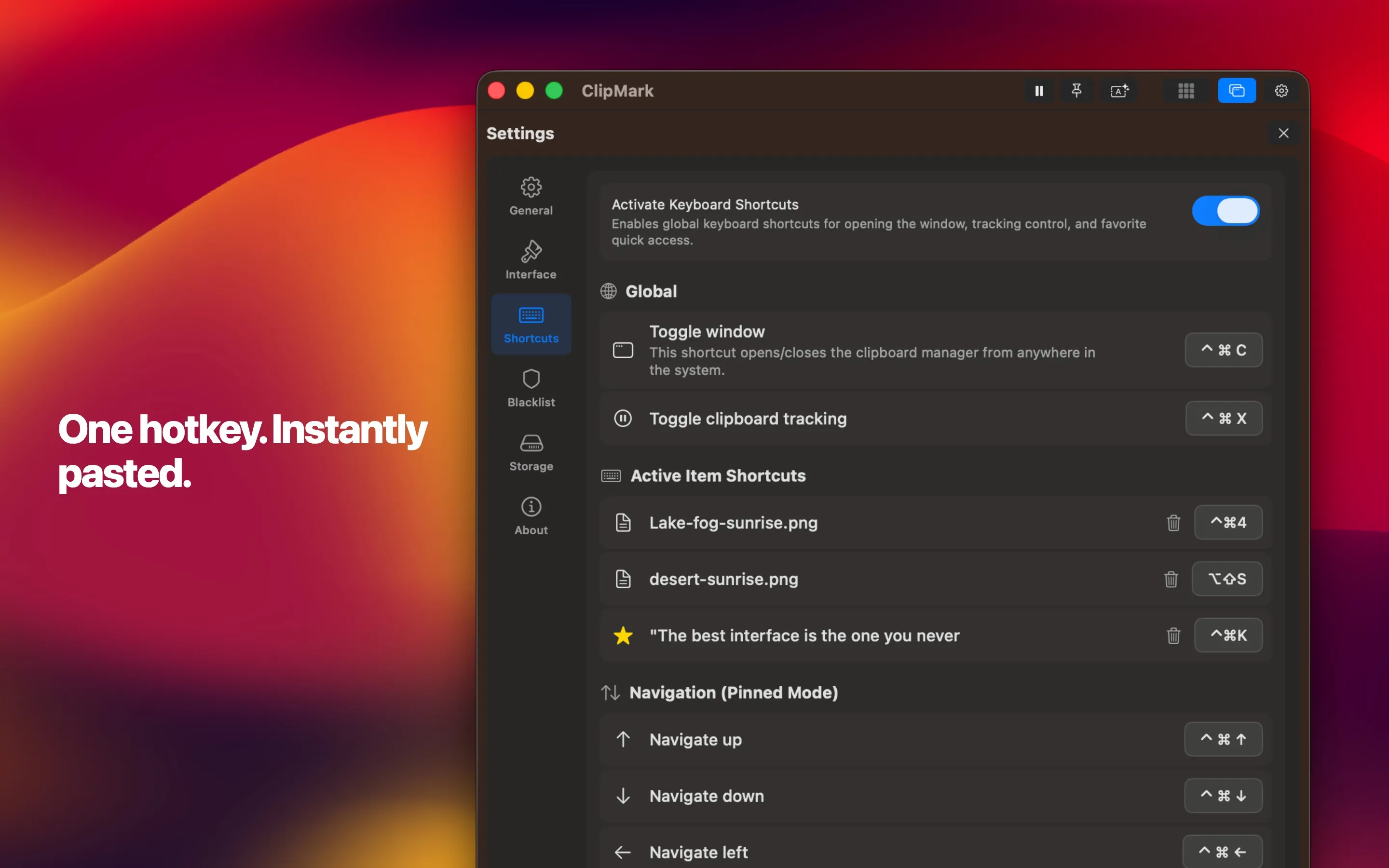
Drag & Drop
Drag any saved item straight into another app. The right format is picked automatically.
Click to previewPrivacy Built In
Passwords are detected and masked. Exclude sensitive apps. Your data stays on your Mac.
Click to preview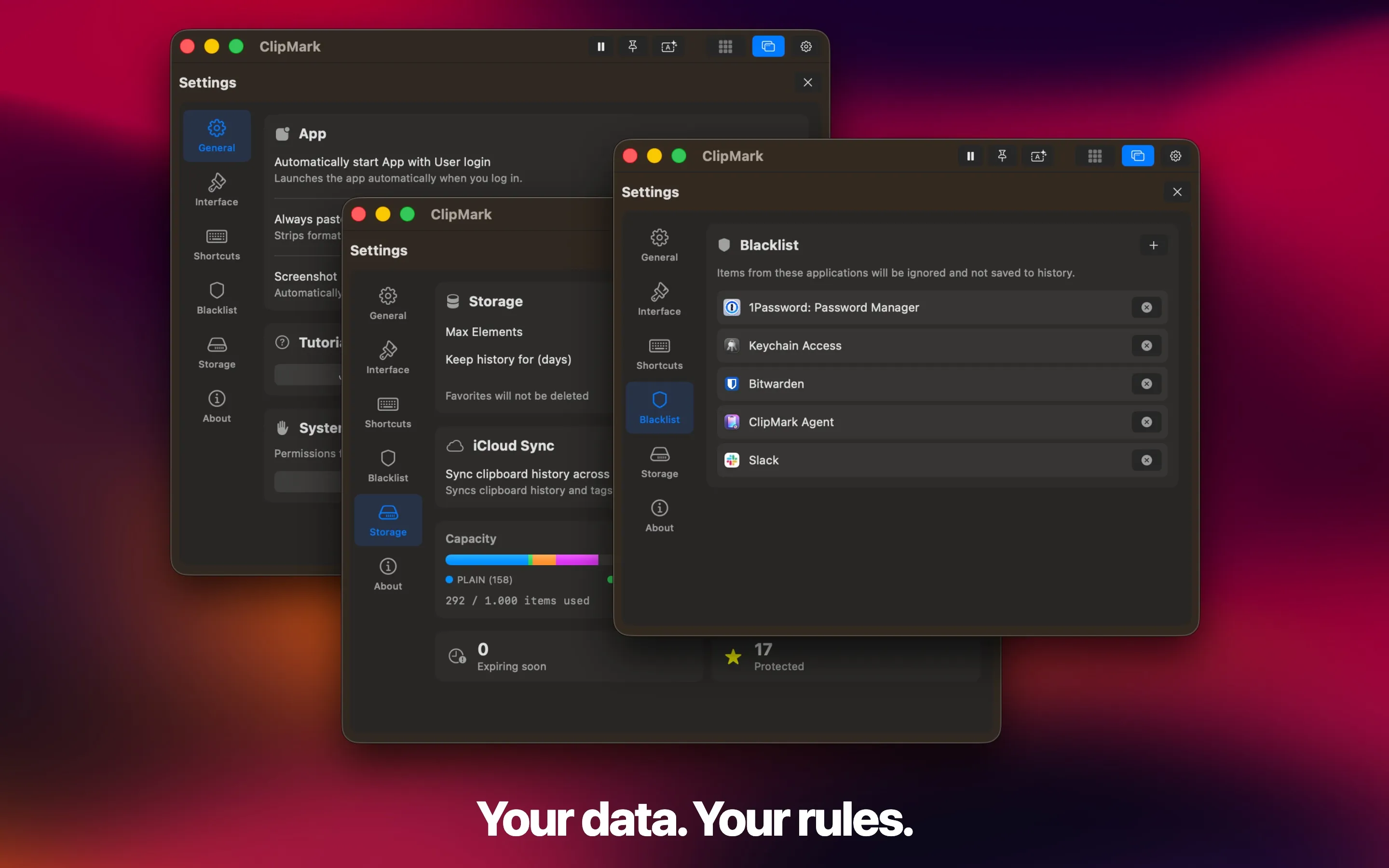
iCloud Sync
Optional, off by default. When enabled, everything syncs across your Macs — encrypted by Apple.
Click to preview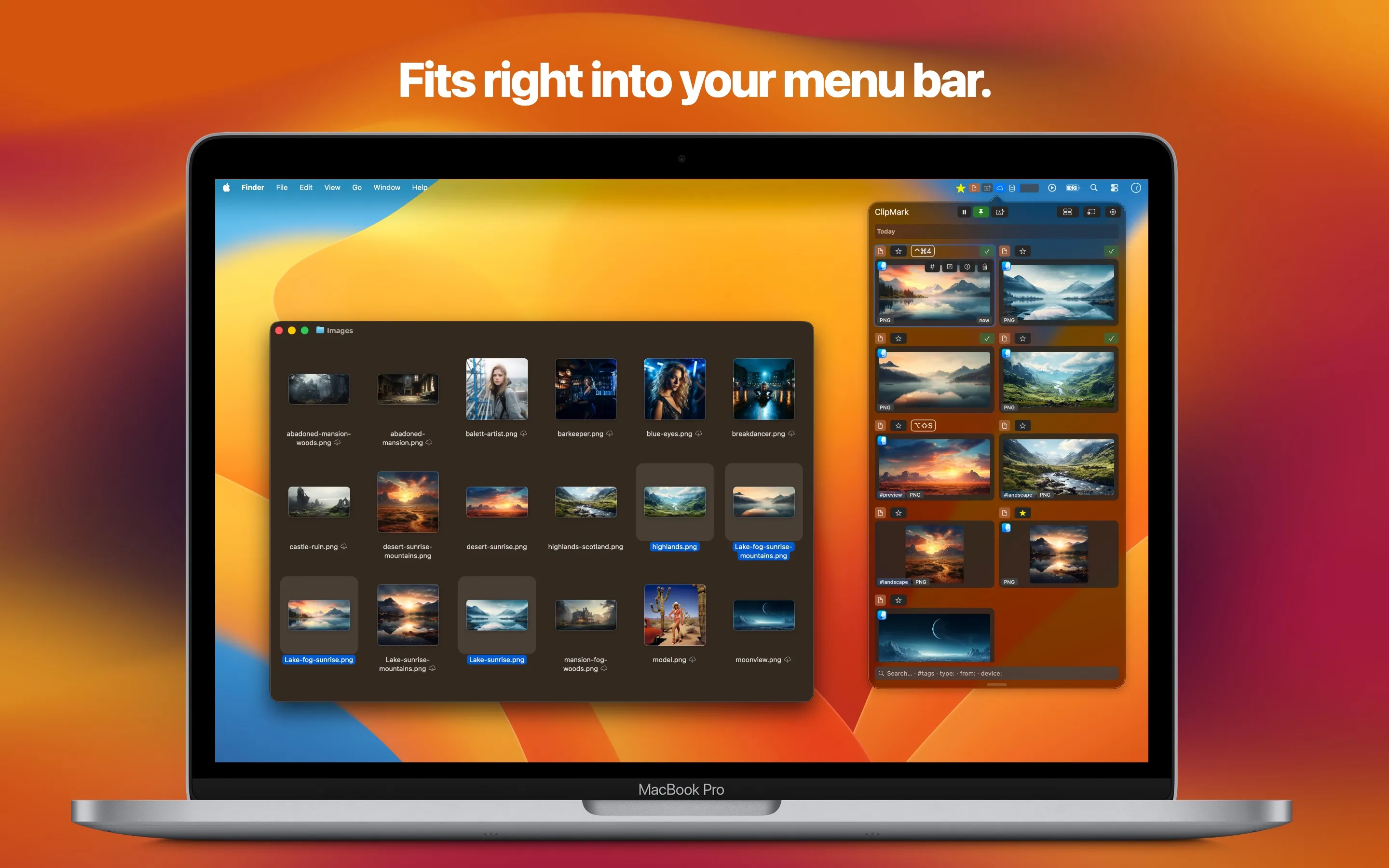
Source Tracking
Every clip remembers where it came from — which app, which device, even the URL.
Click to preview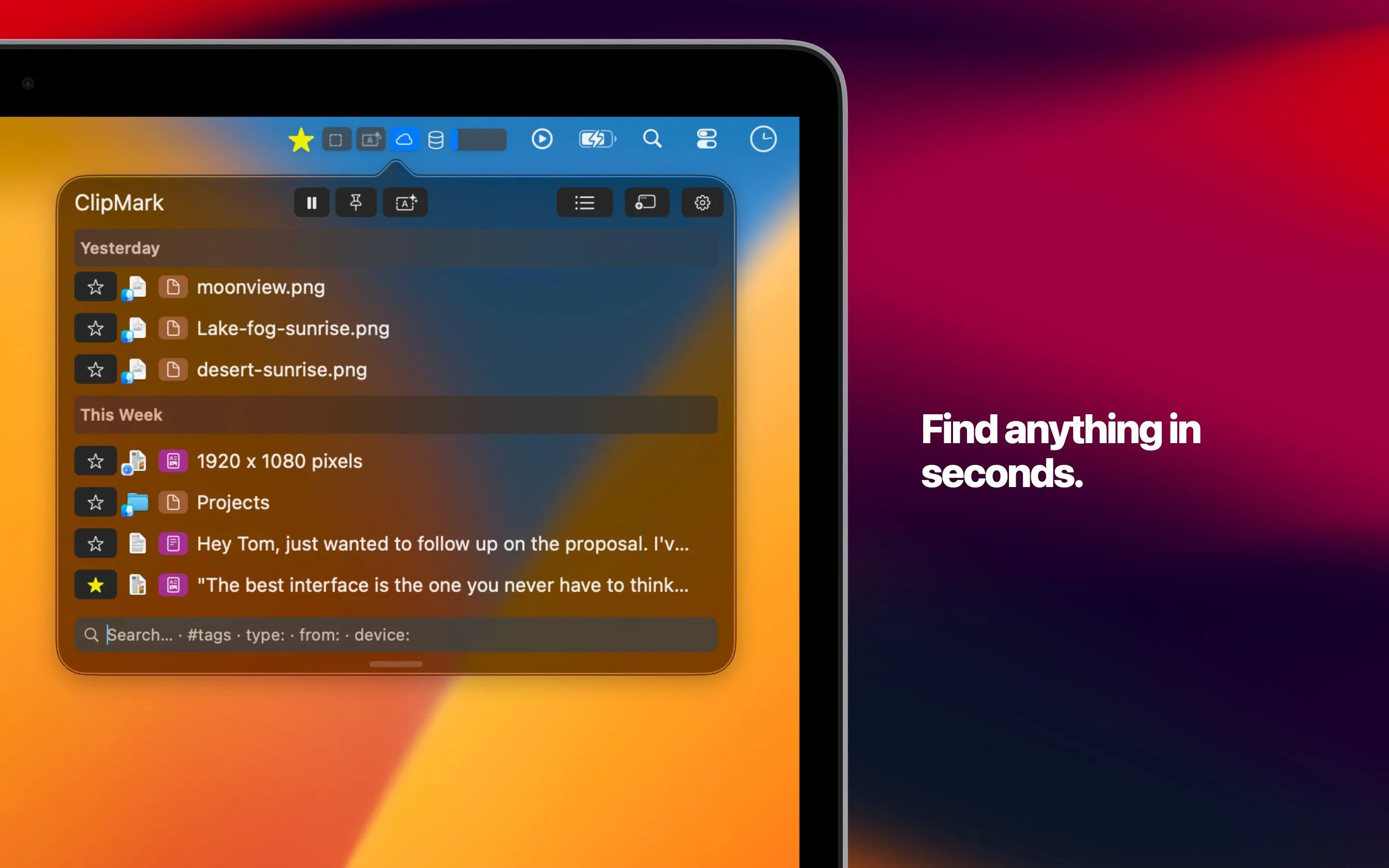
How ClipMark stacks up.
An honest comparison with the most popular clipboard managers — and Apple's own built-in solution in macOS 26 Tahoe.
| ClipMark | Paste | Maccy | CleanClip | Pastebot | macOS 26 | |
|---|---|---|---|---|---|---|
| Pricing | $17.99 one-time | $29.99/yr subscription | Free open source | $19.99 one-time | $12.99 one-time | Free built-in |
| Unlimited history | ✓ | ✓ | ✓ | ✓ | ✓ | (✓)10–20 items, default 8h |
| Favorites with hotkeys | ✓ | ✕ | ✕ | (✓)No per-item hotkeys | (✓)Custom pasteboards | ✕ |
| Source tracking | ✓App, device & URL | (✓)App only | (✓)App only | (✓)App only | (✓)App only | ✕ |
| Screenshot capture | ✓ | ✕ | ✕ | ✕ | ✕ | ✕ |
| Built-in OCR | ✓ | ✓ | ✓ | ✓ | ✕ | ✕ |
| Tags & smart filters | ✓ | ✕ | ✕ | (✓)Smart lists only | ✕ | ✕ |
| Queue / sequential paste | ✓ | ✕ | ✕ | ✓ | ✓ | ✕ |
| Text transformations | ✓ | ✕ | ✕ | (✓)Format cleaning | ✓ | ✕ |
| iCloud sync | ✓ | ✓ | ✕ | ✓ | ✓ | ✕ |
| Password detection | ✓ | ✕ | (✓)App exclusion | (✓)Rule-based | ✕ | (✓)Passwords app only |
| App exclusion | ✓ | ✓ | ✕ | ✓ | ✓ | ✕ |
Based on publicly available information as of March 2026.
One price. Yours forever.
No subscriptions. No recurring fees. Pay once, use forever. Every future update included.
One-time payment. No subscription.

- Unlimited clipboard history
- Tags, favorites & smart filters
- Drag & drop with auto-tagging
- Global hotkeys for instant paste
- Queue paste for multi-item workflows
- Source & device tracking
- iCloud sync (optional)
- Password detection & privacy controls
- Built-in OCR & text transformations
- All future updates included
vs Paste: Save $30+/year. No subscription.vs CleanClip: More features, lower price.
Free Updates Forever
Every future feature and improvement is included at no extra cost.
Privacy by Design
Your data stays on your Mac. iCloud sync is optional and encrypted.
Native Performance
Built with SwiftUI & AppKit. No Electron. Blazing fast, tiny footprint.
Common questions
Passwords are automatically detected and masked in the interface. All data is stored locally on your Mac — nothing is sent to external servers. You can also exclude specific apps (like password managers) from being tracked entirely.
No. ClipMark is a one-time purchase — pay once, use forever. Every future update is included at no extra cost.
Everything stays locally on your Mac. iCloud sync is available as an optional feature, using Apple's end-to-end encrypted infrastructure.
ClipMark runs on macOS 14 (Sonoma) and later. It works system-wide in the background — no matter which app you're using, ClipMark captures everything you copy.